September 19, 2025 Release Notes

The apprenticeship compliance page on jobs picks up a detailed tabular data view, and form assignments now enforce at least one assignee at save time.
📊 Apprenticeship compliance: detailed labor hours grid
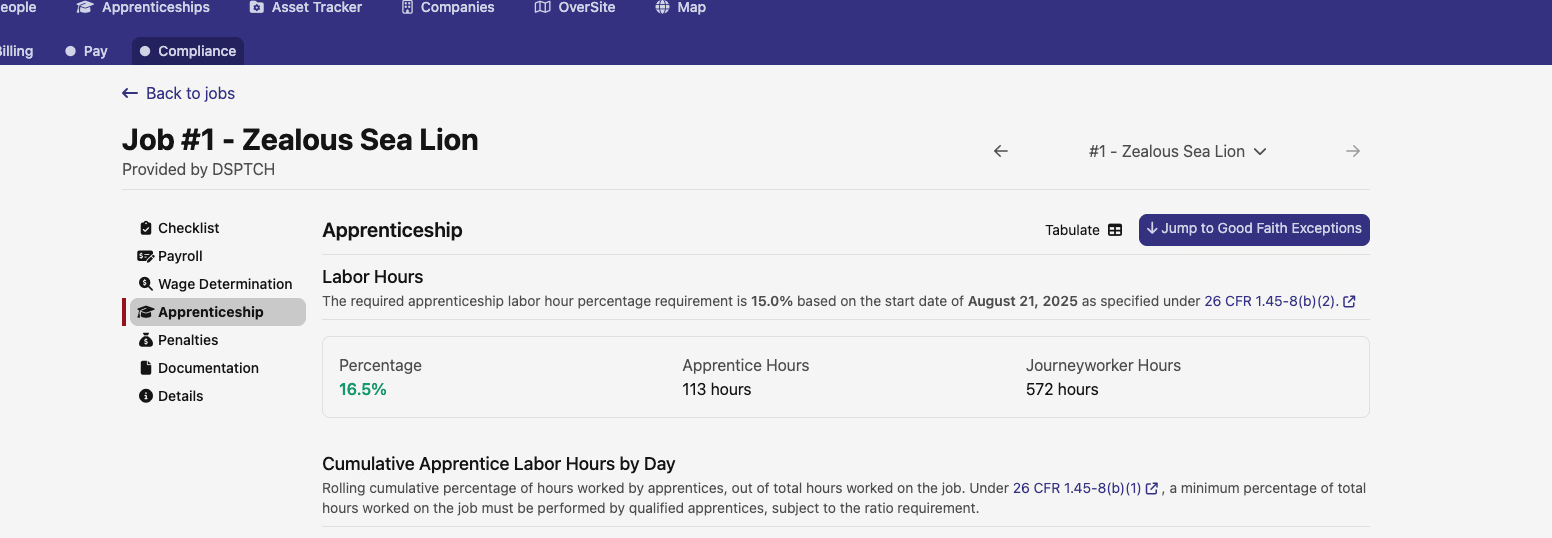
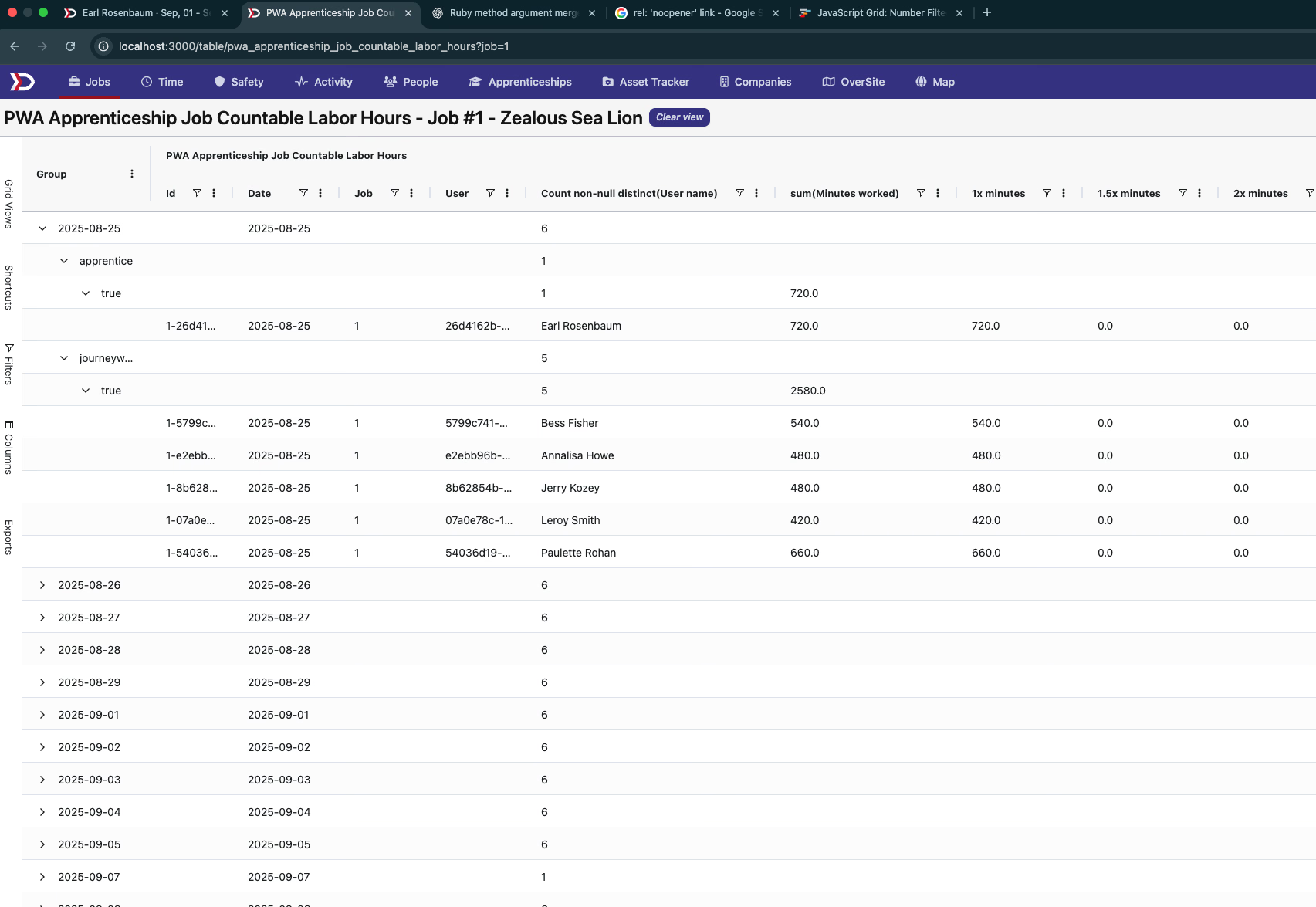
The Apprenticeship tab on a PWA job now has a Tabulate button in the top right. Clicking it opens a full data grid showing apprenticeship countable labor hours broken down by worker, classification, and day — with columns for apprentice hours, journeyworker hours, and rate buckets.
The grid rows are grouped by date and worker, so you can drill into exactly which days and classifications are contributing to a job's apprenticeship percentage.
✅ Form assignments: assignees required
When creating a general form assignment (Activities → Form Assignments → New), the Assignees field is now marked required. Saving without selecting at least one assignee surfaces a validation error. Job and asset form assignments are not affected — those link to their respective records rather than a named user list.
🛠️ Fixes
- Project overview now shows Admin Name, Admin Email, and Admin Phone inline on the general details panel — information previously split into a separate Prevailing Wage tab that has been removed
- Task quick filter clear button now correctly clears all active quick filters when clicked
As always, reach out if you have any questions.
The DSPTCH Team