January 14, 2026 Release Notes
We're excited to share some powerful new features that will make navigating your projects, managing compliance, and collaborating with your team even more efficient! This release introduces comprehensive route planning capabilities, enhanced user compliance tracking, and better tools for team coordination. 🚀
🗺️ Map Route Planning & Navigation
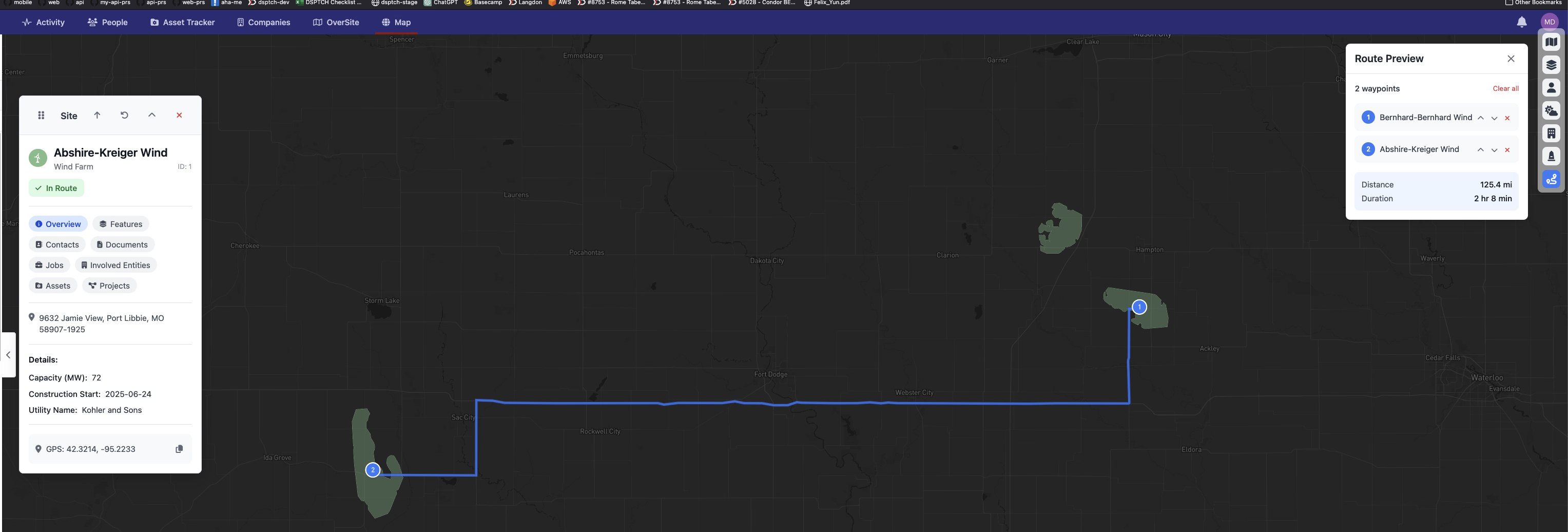
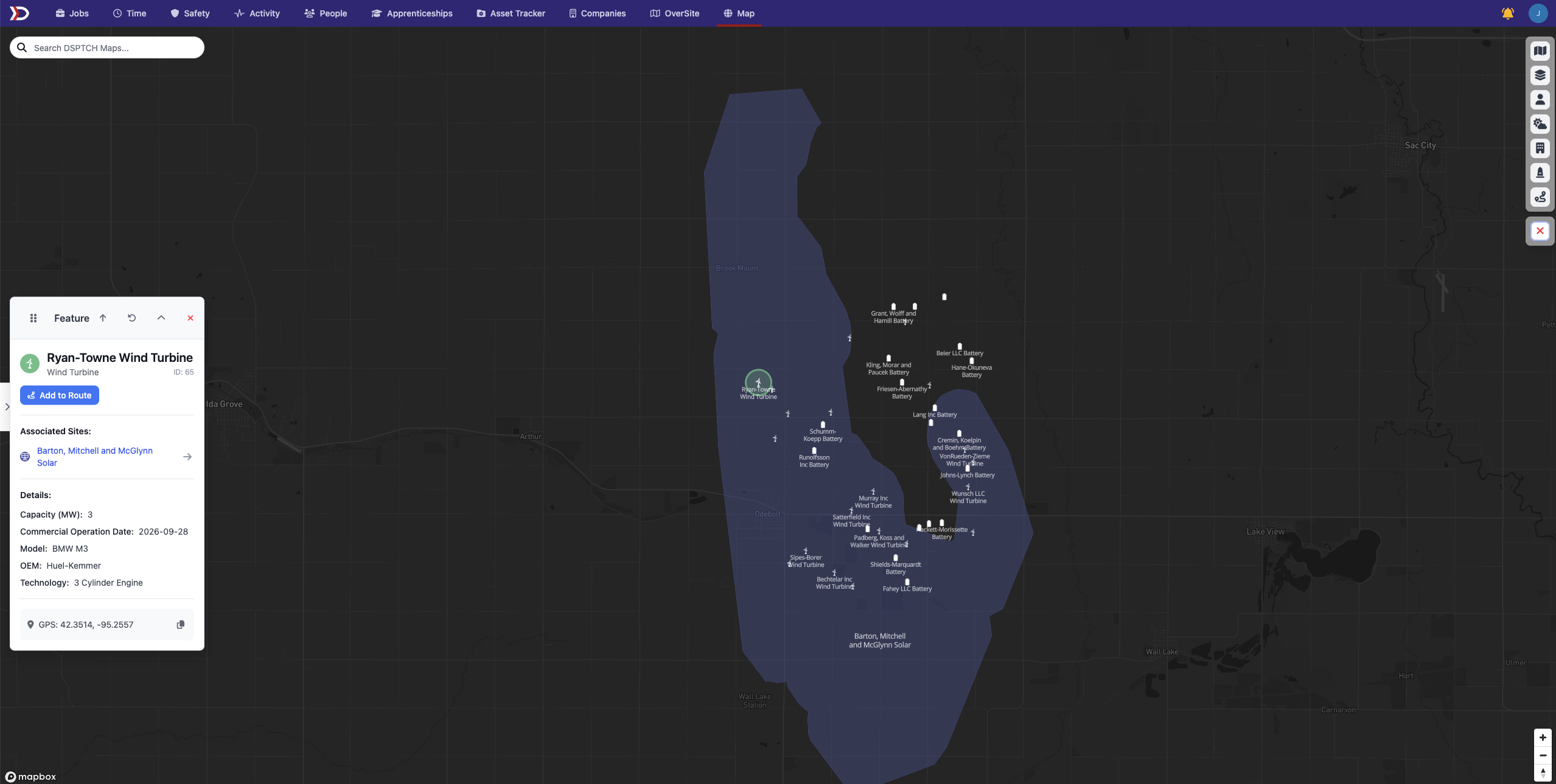
Transform how you plan site visits and coordinate field operations with our new comprehensive route planning system! Plan efficient routes between multiple locations directly on the map.
What's New:
- Add to Route Buttons - Click "Add to Route" on any site or feature popup to include it in your route
- Route Manager Panel - Access the route manager from the toolbar to view and organize your waypoints
- Visual Route Display - See your planned route drawn on the map with numbered waypoint markers
- Waypoint Management - Easily reorder, remove, or add waypoints to optimize your route
- Distance & Duration - Get real-time estimates for total travel distance and time
- Smart Routing - Routes are calculated using real driving directions, not straight lines
This feature is perfect for technicians planning daily site visits, project managers coordinating inspections, or anyone who needs to efficiently navigate between multiple job locations.
Timezone Awareness Layer
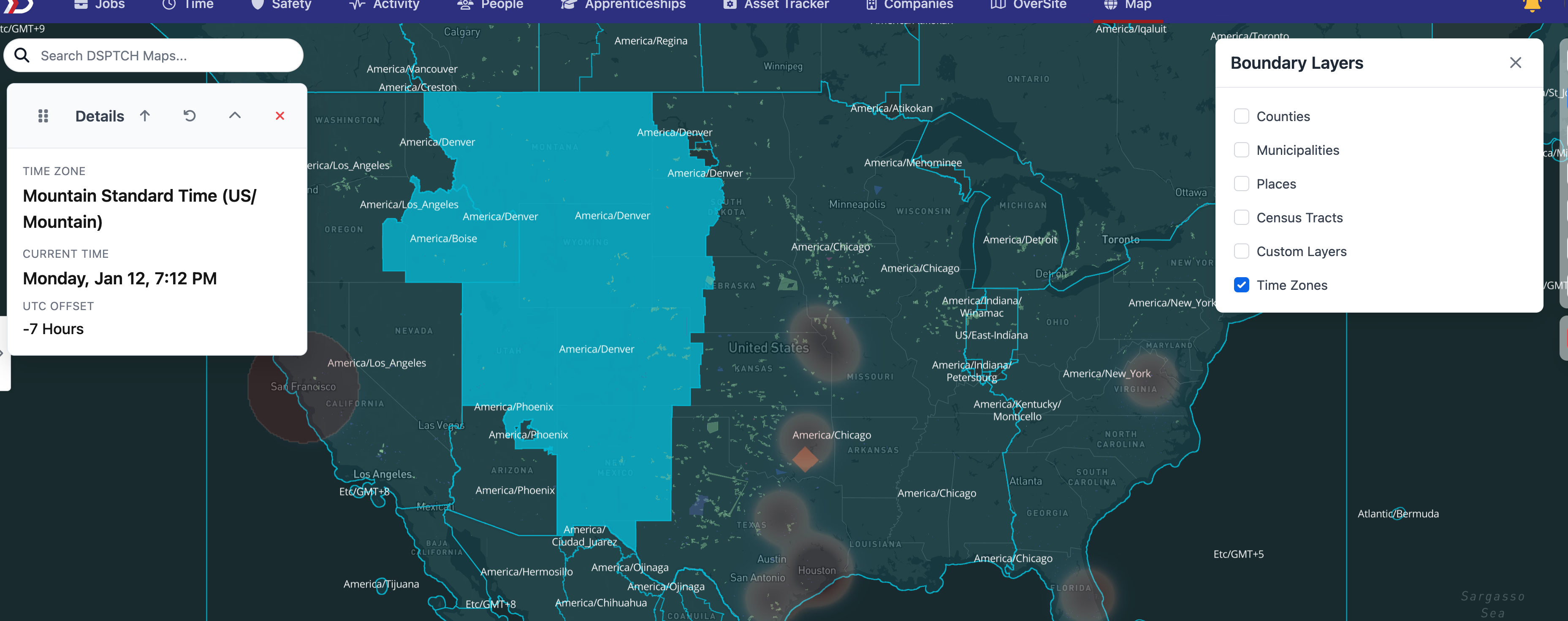
Planning routes across multiple regions? Our new timezone boundary layer helps you visualize time zones directly on the map, making it easier to coordinate activities across different regions.
The timezone layer includes:
- Visual Timezone Boundaries - See timezone regions clearly marked on the map with distinctive styling
- Interactive Timezone Information - Click on any timezone to see current local time and UTC offset
- Smart Route Planning - Understand time differences when planning multi-region routes
- Layer Toggle Control - Easy on/off toggle in the map layer manager
- Real-time Updates - Current time display updates automatically for accurate scheduling
This enhancement is especially valuable for companies operating across multiple time zones, helping ensure proper coordination and scheduling of field activities.
👤 User Compliance Checklist
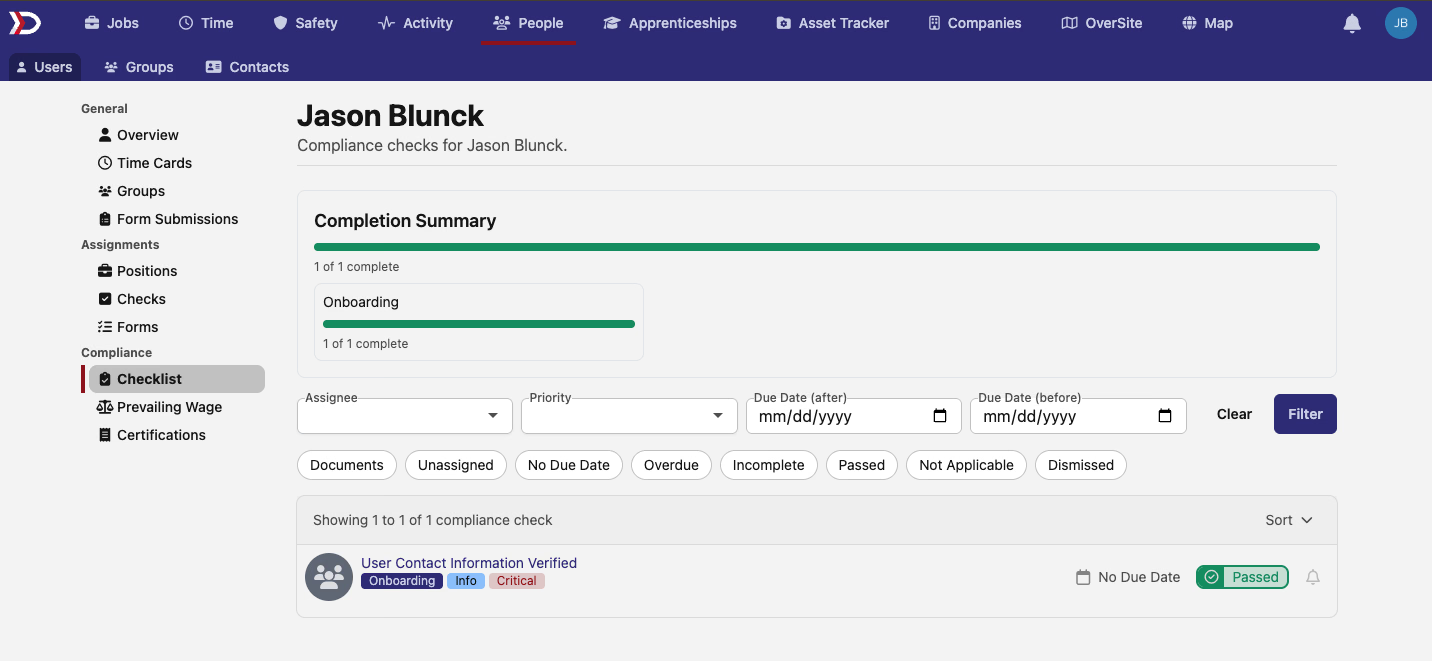
Users now have direct access to user specific compliance checks! Just go to the users page and select the user whose checks you want to view.
Key Features:
- Personal Dashboard - View all compliance checks assigned specifically to a user
- Status Visibility - See which requirements are complete, pending, or overdue
- Direct Access - No need to navigate through company or project views
This empowers your team members to stay on top of their individual compliance requirements and reduces administrative overhead for managers.
💼 Enhanced Company Billing Management
Company administrators now have access to a powerful new billing grid that makes managing billing data much more efficient and organized.
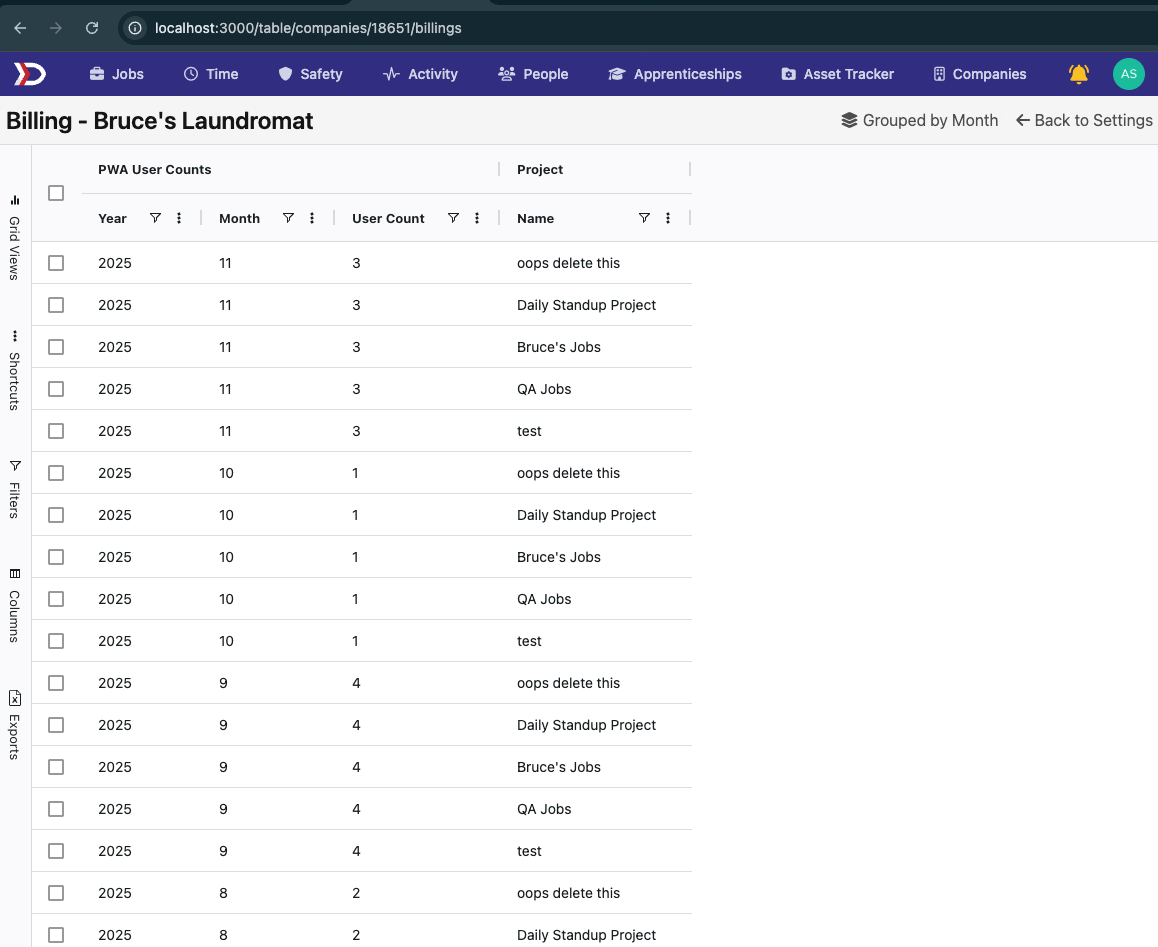
New Capabilities:
- Advanced Grid Interface - Modern AgGrid implementation for better data management
- Improved Performance - Faster loading and navigation when working with large datasets
- Enhanced Filtering - Quick filtering and search capabilities to find specific billing information
- Better Organization - Clearer data presentation for easier billing oversight
Improvements Include:
- Enhanced Filtering System - More intuitive filters to quickly find specific allocations
- Quick Filter Options - One-click filtering for common scenarios like overtime eligible minutes
- Better UI Organization - Cleaner layout makes it easier to understand allocation progress
- Improved Categorization - Clearer display of allocation status and categories
💬 Group Messaging & Communication
Teams can now communicate more effectively now that comments have been introduced to the People / Groups tab! Share updates, coordinate activities, and keep everyone informed.
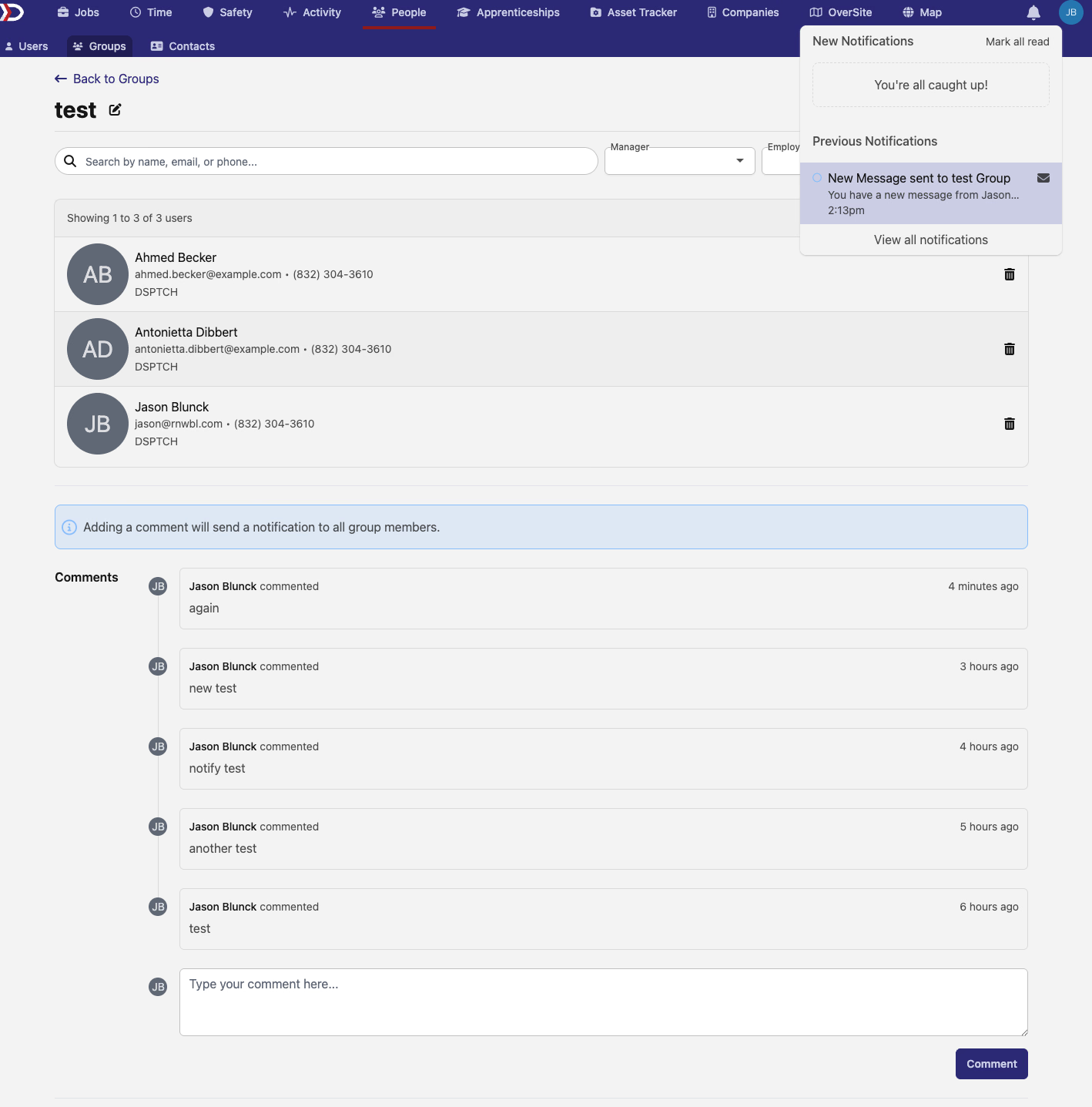
Communication Features:
- Direct Group Comments - Post messages directly to group pages
- Automatic Notifications - All group members are notified when new messages are posted
- Permission-Based Access - Only users with appropriate permissions can post messages
- Team Coordination - Perfect for project updates, announcements, or coordination discussions
This feature enhances team collaboration by providing a dedicated space for group-specific communications and ensuring important messages reach all relevant team members.
These features represent our ongoing commitment to making DSPTCH more intuitive, efficient, and collaborative. The new route planning capabilities will be especially valuable for field operations, while the enhanced compliance and communication tools make managing teams and projects even smoother.
Thanks for using DSPTCH, and as always, reach out if you have any questions about these new features!
The DSPTCH Team